Smart Groups, computed locally.
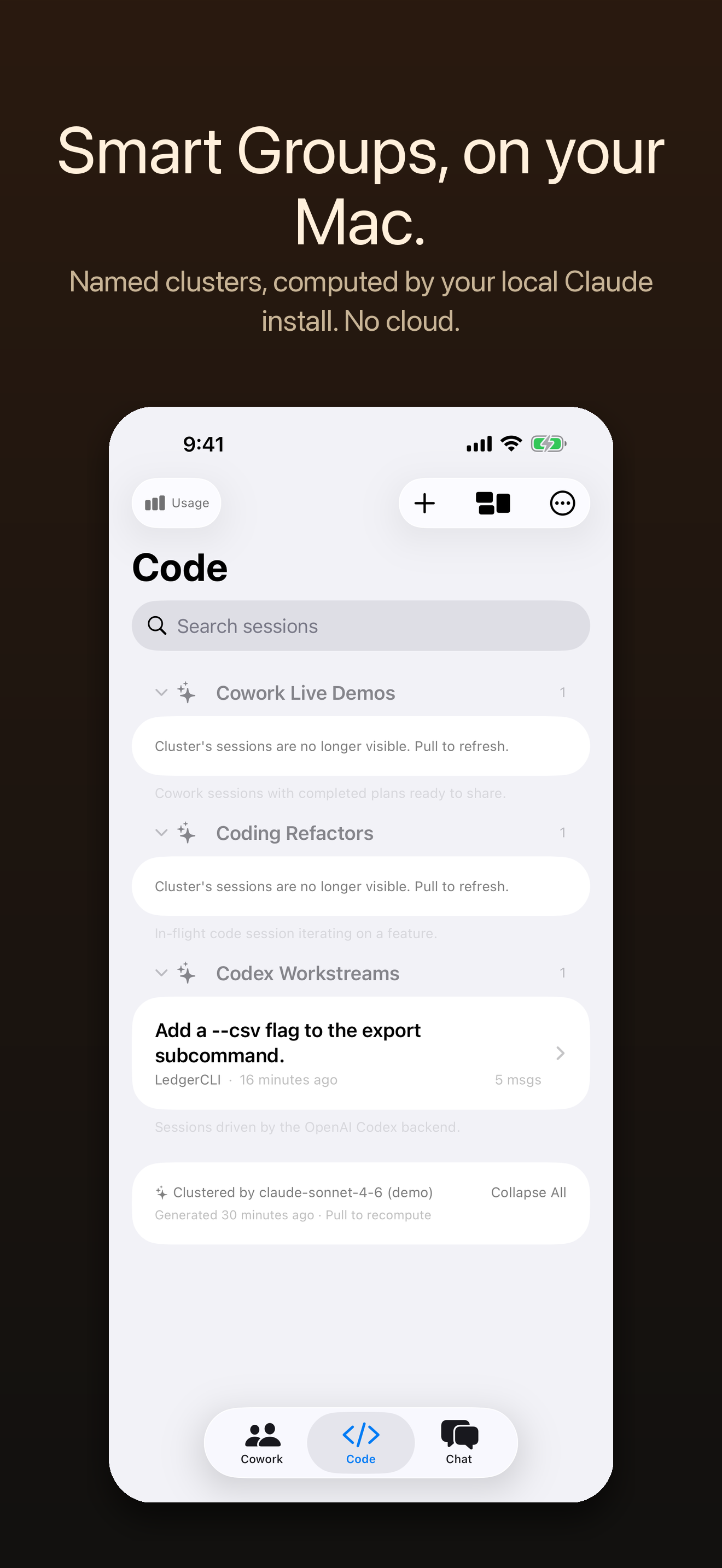
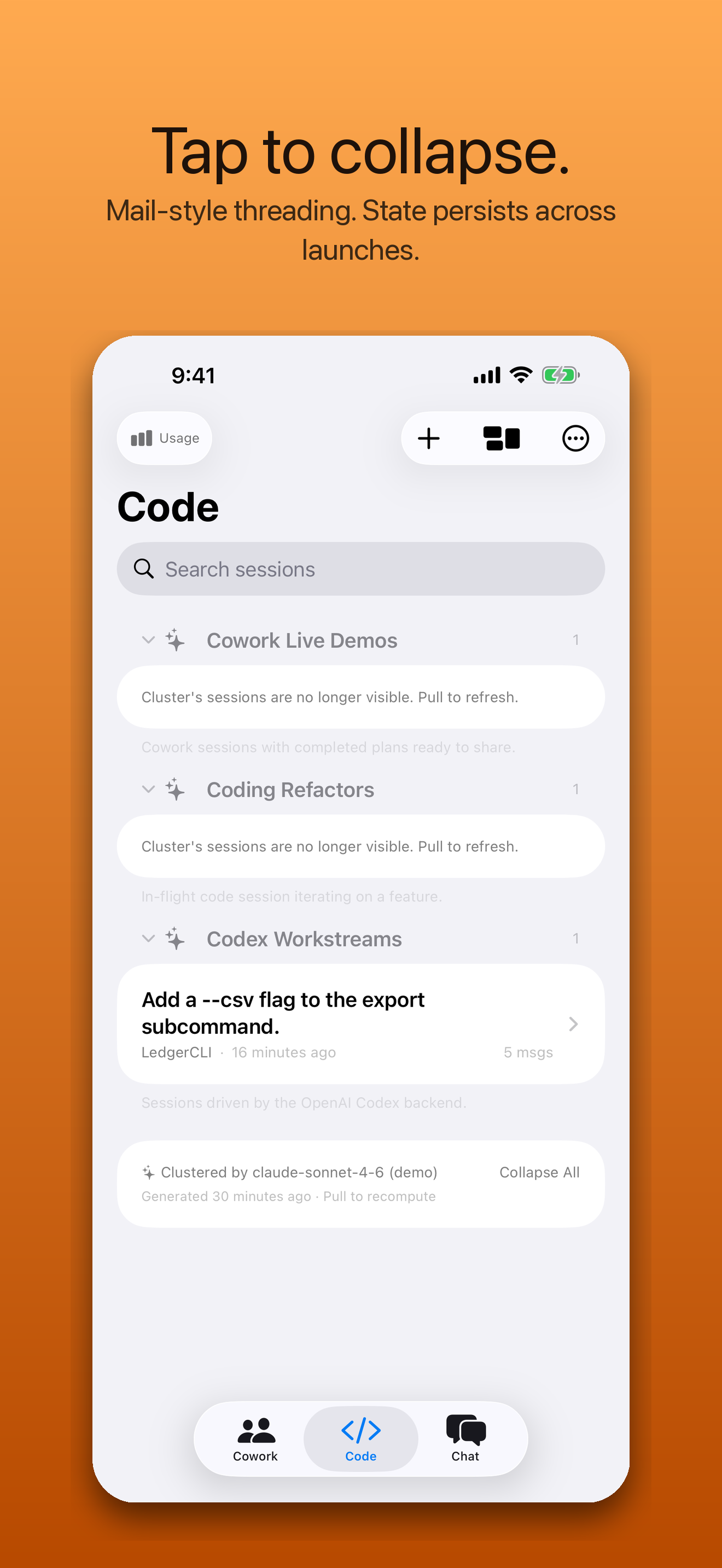
Tap one button. The Mac helper hands your session metadata to your local Claude install and ships back named clusters like “HearthPilot Pairing” or “Investment Memo Drafts”. Headers tap to collapse, Apple-Mail style.
For Claude Code & Codex on macOS
Fire a long Claude Code or Codex run, lock your Mac, and walk away. RelayKit puts every live session in your pocket — watch it stream, steer it when it needs you, stop a run that’s gone sideways from the passenger seat. One QR scan, end-to-end encrypted, straight to your own Mac. $0.99 once. No subscription. No relay server. Nothing ever leaves your devices.
iOS 17 + macOS 14 · $0.99 once, no subscription · Mac helper free · runs on your own Claude or Codex plan
A look inside
From pairing to streaming Claude Code and Codex side by side — Smart Groups, suggested-prompt chips, and Claude for Mac's Cowork sessions — what RelayKit looks like on a 6.9″ iPhone.
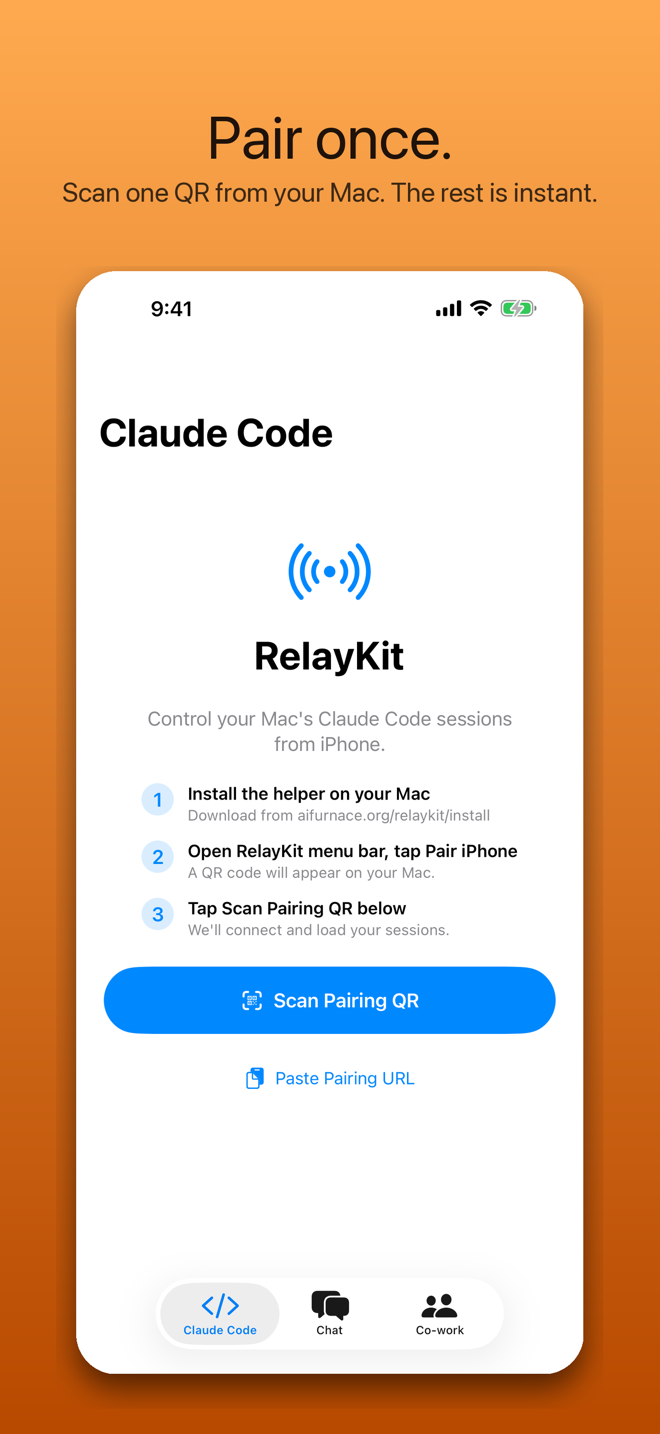
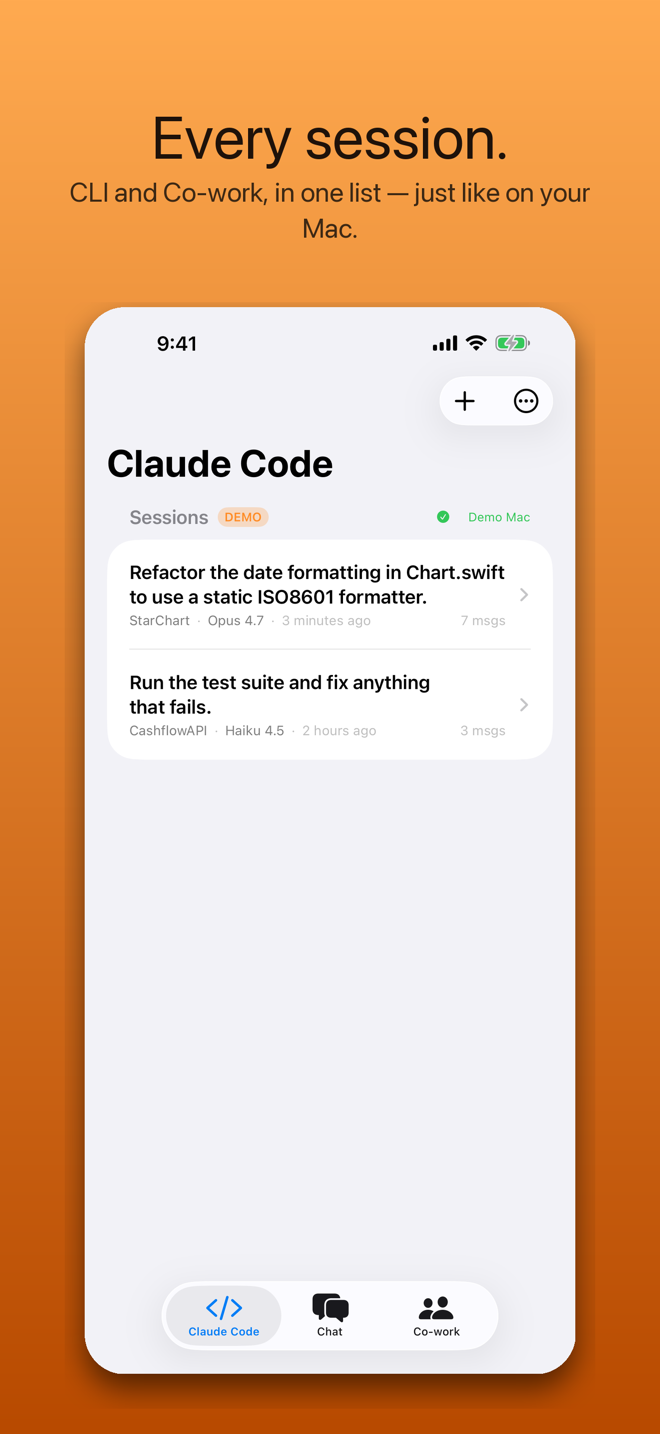
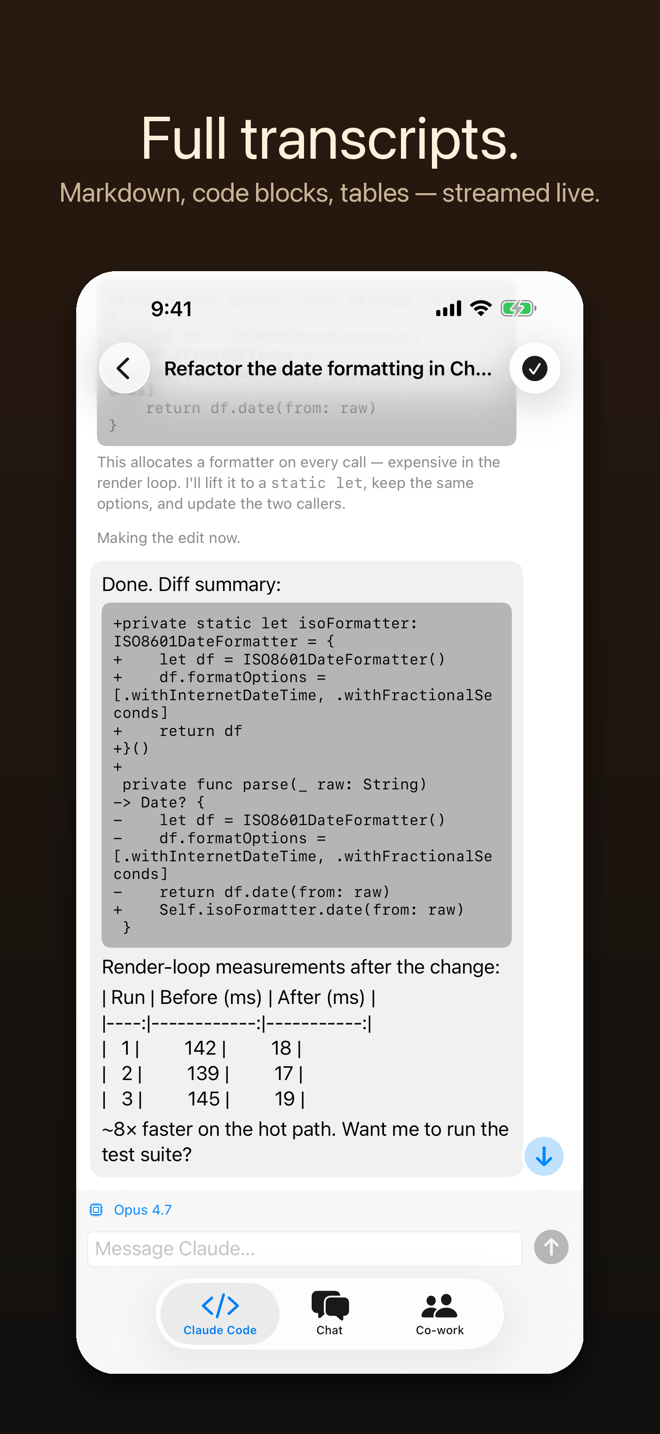
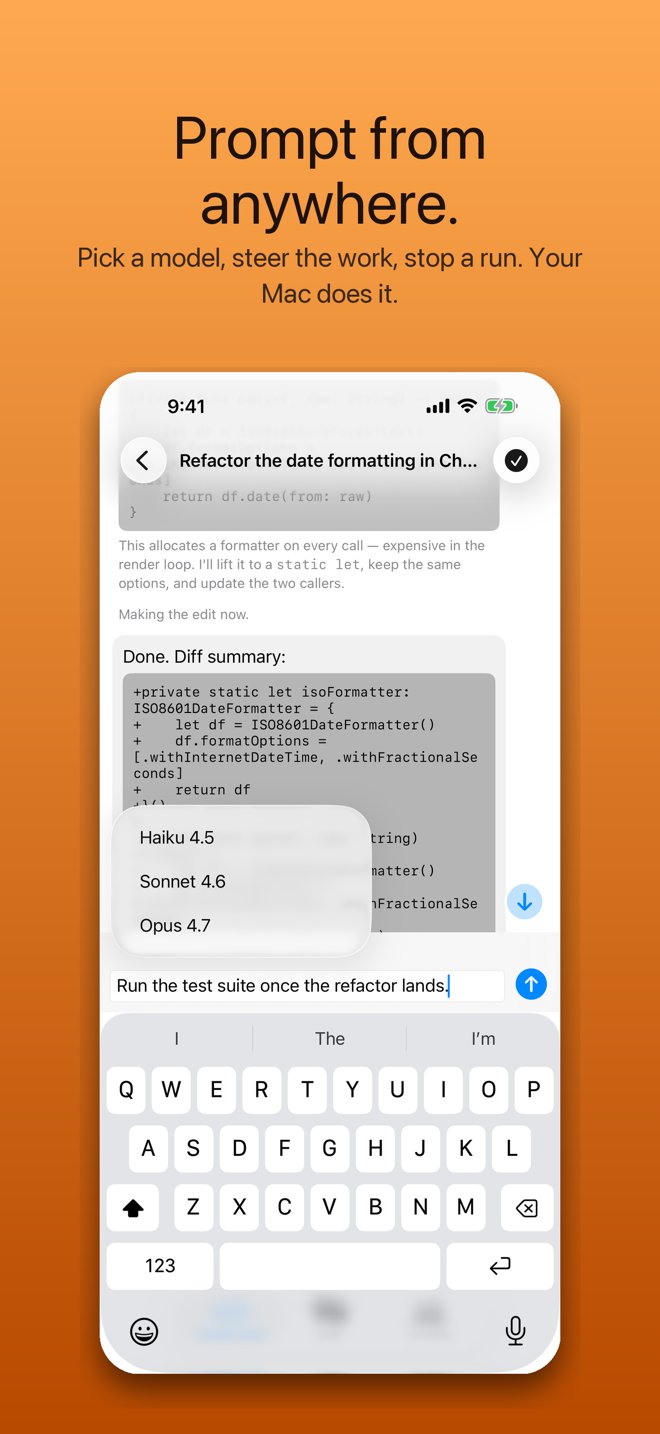
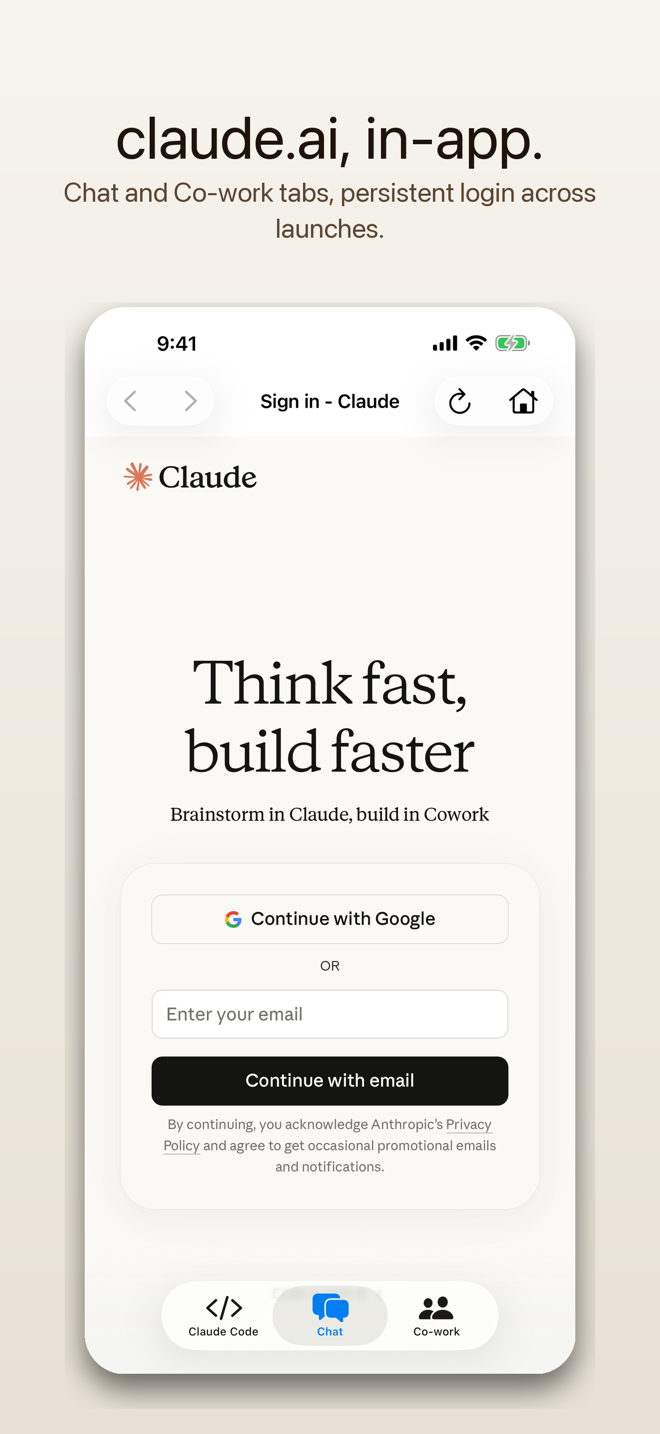
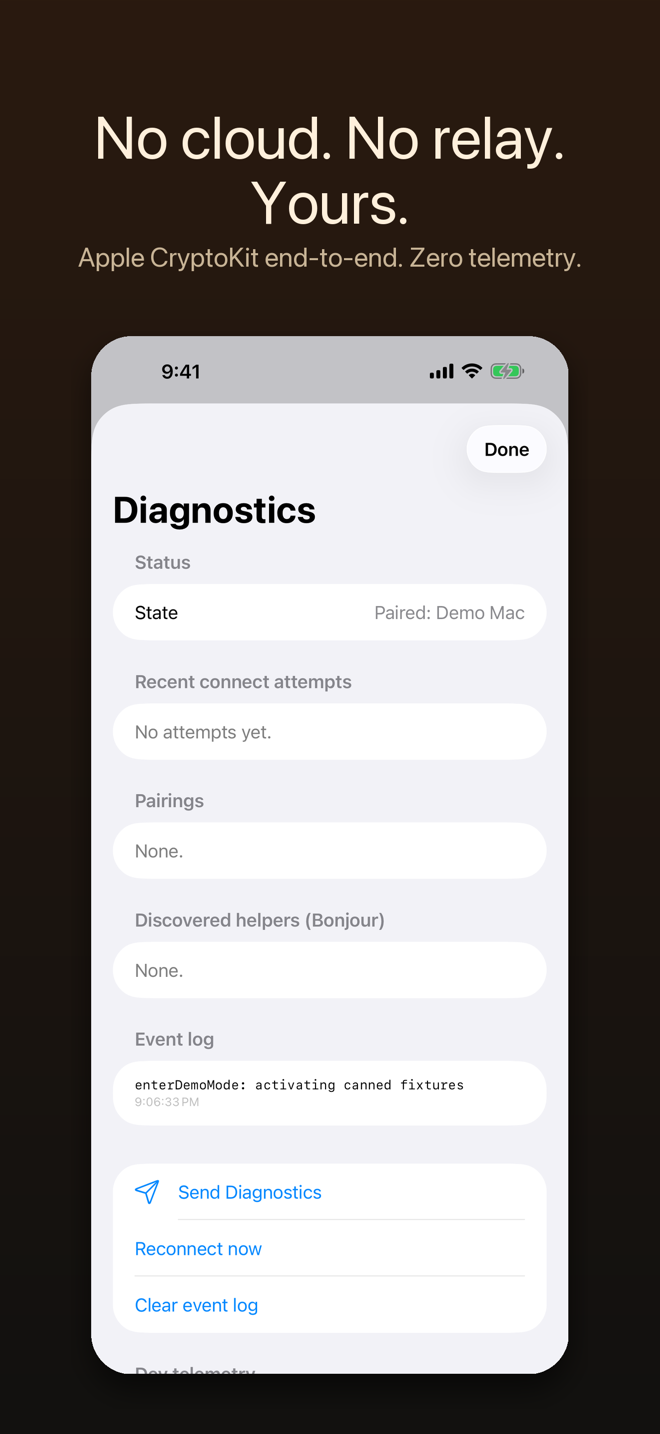
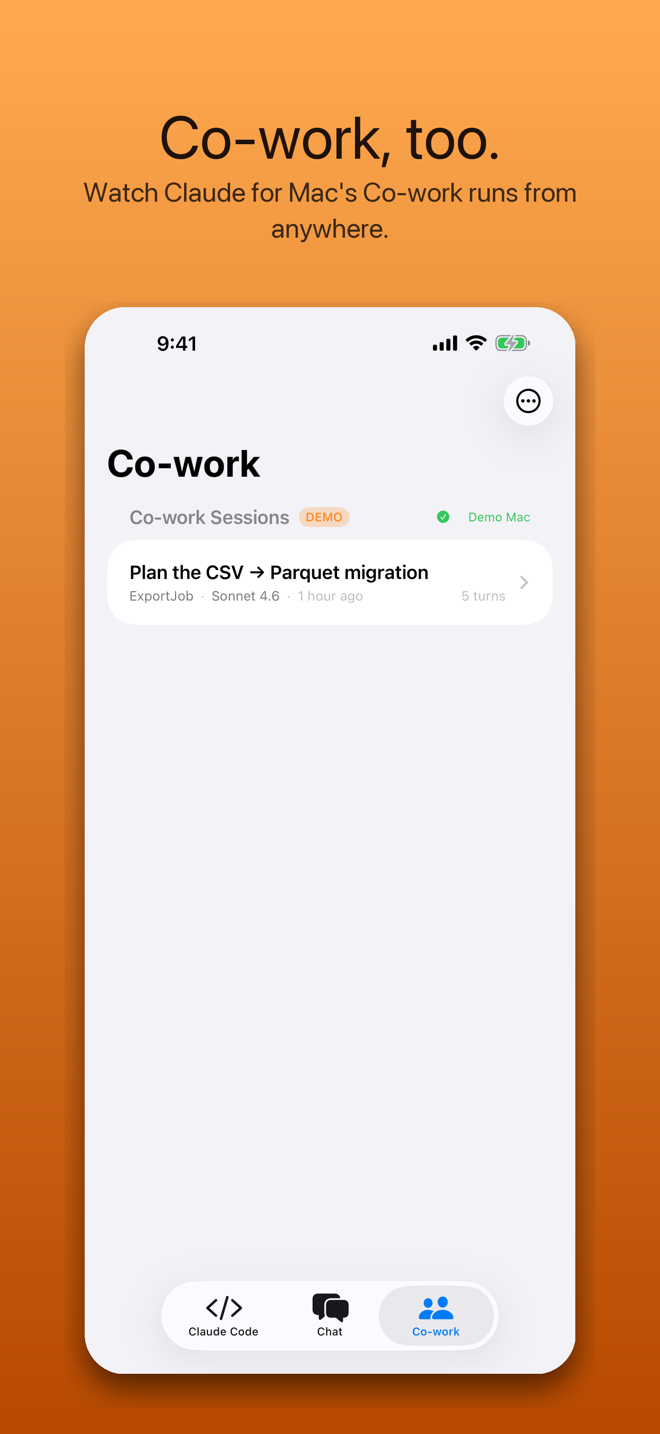
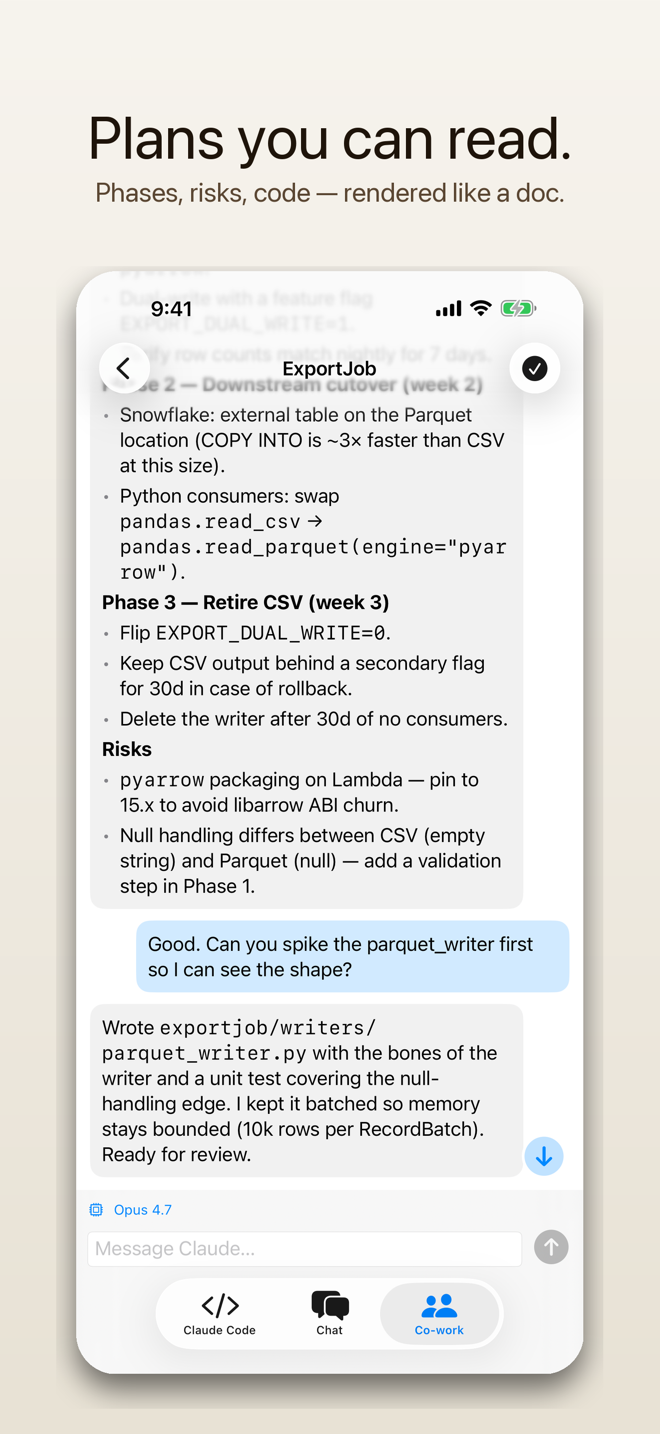
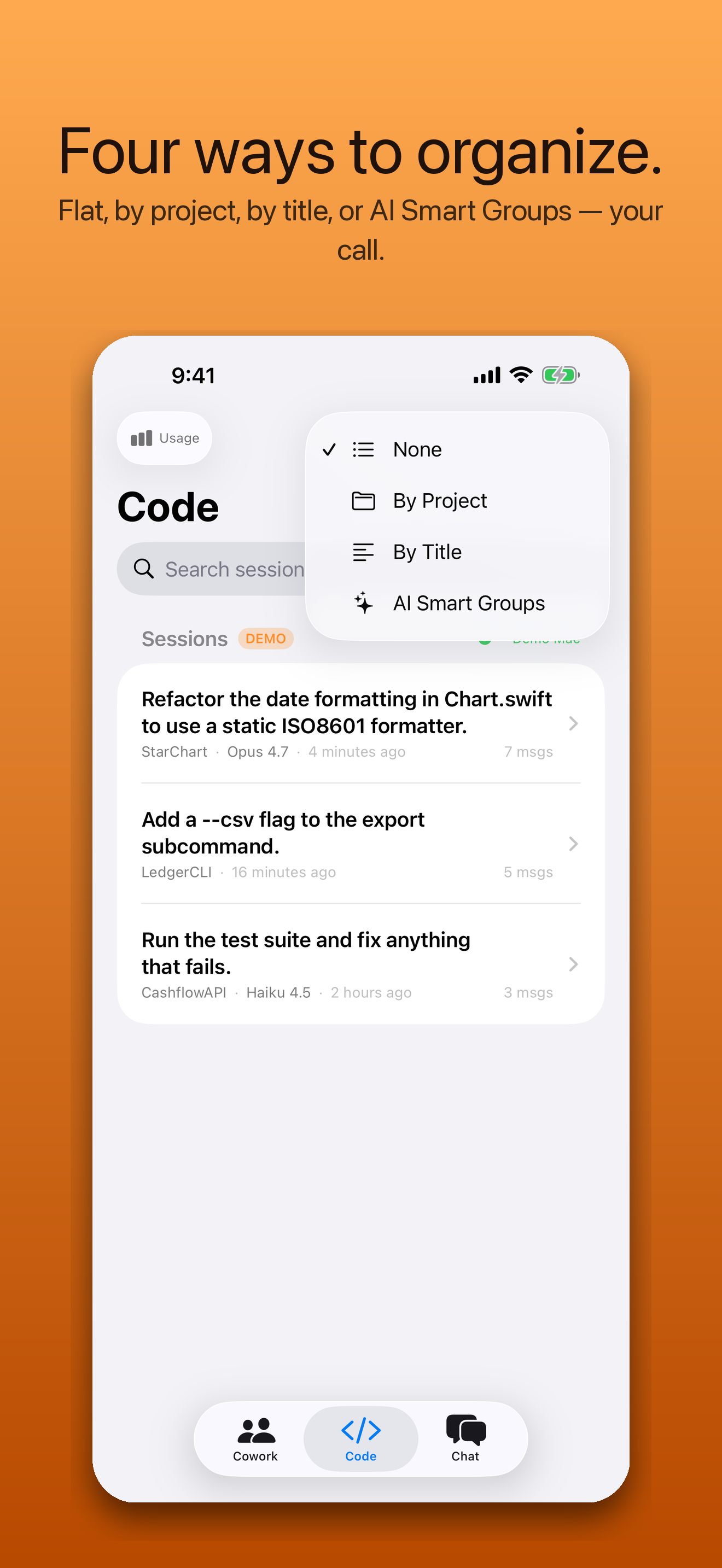
By session #100, a flat list stops scaling. RelayKit adds four grouping modes — and three AI features that run through your own local Claude on your Mac, never a third-party cloud. Nothing your Mac sees is sent to a RelayKit server, ever.
Tap one button. The Mac helper hands your session metadata to your local Claude install and ships back named clusters like “HearthPilot Pairing” or “Investment Memo Drafts”. Headers tap to collapse, Apple-Mail style.
“help me with” and similar vague openers become “Pairing Race Condition” or “Q3 Memo Outline”. Generated in batches by your local Claude, cached on the Mac, refreshed weekly.
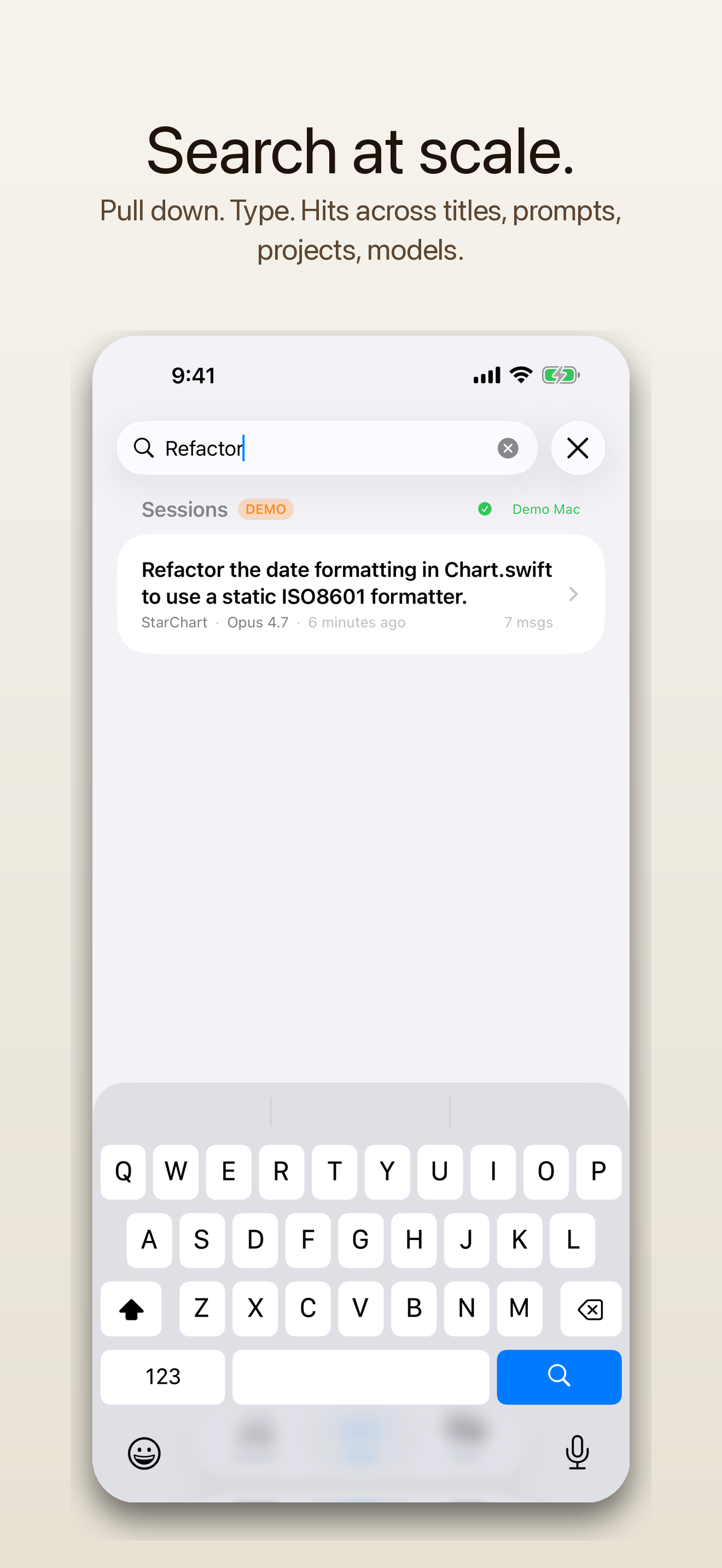
Pull down. Type. Matches across custom names, titles, first prompts, project folders, and model names. Works inside every grouping mode — Smart Groups auto-expand clusters with matches, hide ones without.
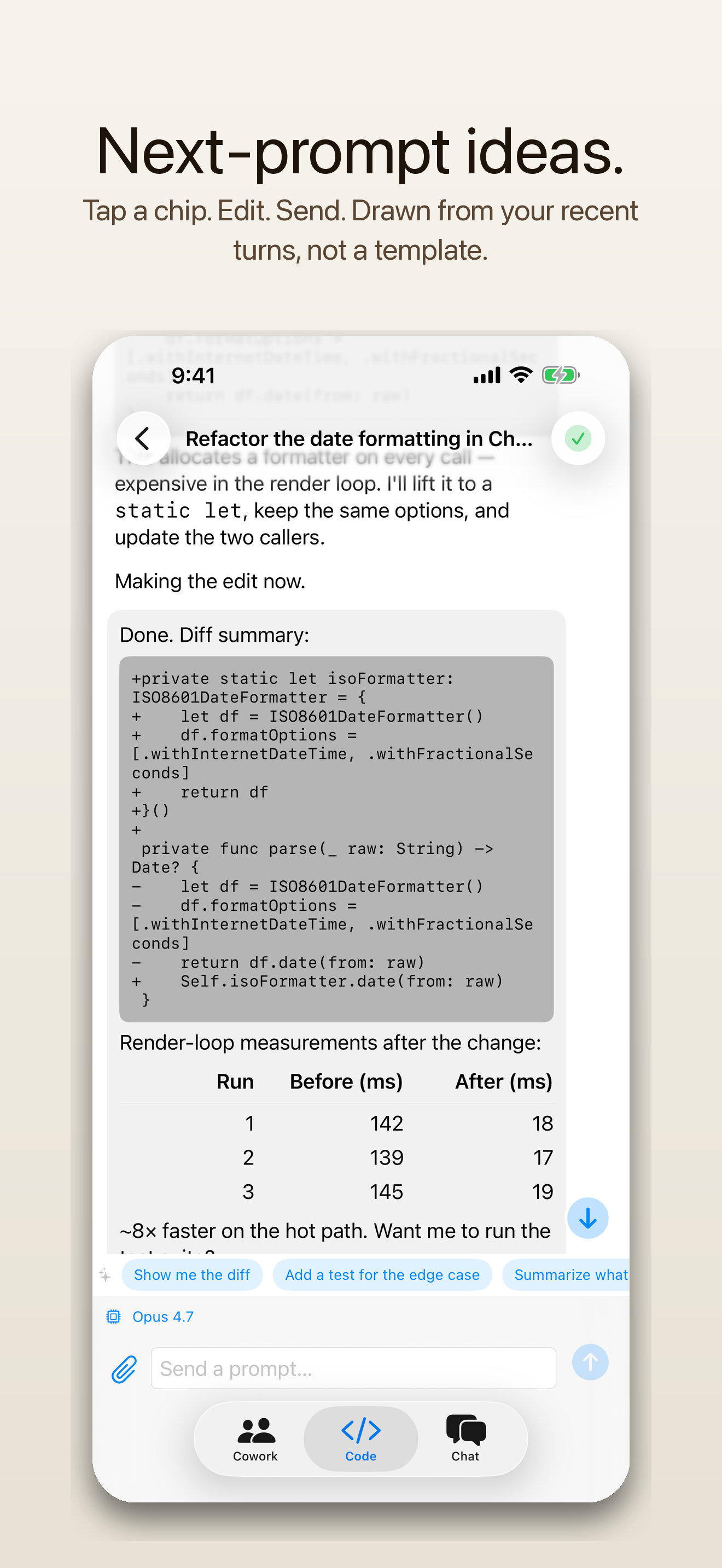
When a turn ends, three short follow-on ideas appear above the composer. Tap to fill, edit, send. Your local Claude reads a few recent lines of this session to draft them — never a generic template list, never a cloud.
Local by design. Smart Groups and Smart Titles send only session metadata (titles, project names, last activity). Suggested Prompts reads a few recent lines of the open session to draft follow-ups. Either way, it all goes to your own Claude on your Mac — never to a RelayKit server.
Claude Code, Codex, and Claude for Mac's Cowork sessions side by side — titles, models, status, and a per-run cost and token badge. Filter by Work, Personal, or any account; switch backends per session. The same list as your desktop.
Markdown with tables, nested lists, and syntax-highlighted code blocks. Responses stream in as Claude writes them.
Send a new prompt, pick Opus / Sonnet / Haiku, fork to try an alternative, stop a run mid-flight. Your Mac does the work.
A tap on the shoulder when a turn completes or errors. Short summaries only — nothing sensitive ever leaves your Mac.
X25519 pairing, ChaCha20-Poly1305 payloads via Apple CryptoKit. Direct iPhone → your Mac. No relay server, no telemetry.
Works on LAN out of the box. Tailscale, WireGuard, ZeroTier, Cloudflare Tunnel, plain static IPs — all fine.
One app drives Anthropic's Claude Code CLI and OpenAI's Codex CLI side by side. Per-session backend chip, model picker per agent, transcripts that replay either way. Pick a default; switch any time.
Run work and personal Claude from one app. Pick which account a session uses — right beside the model picker — with a default for new sessions. Curate them on the Mac: rename, set the default, hide the ones you don’t use. Your phone shows the picker only when there’s a choice to make.
When Codex wants to run a shell command, write a file, or apply a patch, RelayKit asks first. Allow once, allow for the session, or deny — including a local notification if the app's in the background.
“The phone doesn't replace your keyboard. It just makes sure you don't have to be sitting in front of it.”
Compatible with your Claude plan
RelayKit doesn’t replace Claude Code. It doesn’t call the Anthropic API. It doesn’t
hold your Claude credentials. The official Claude Code CLI runs on your own Mac,
signed in with your own Claude account — same as if you opened Terminal and typed
claude. RelayKit is a remote control for that local session. Think of it as
an IDE extension that happens to live in your pocket.
claude -p headless mode.RelayKit is independent software from Schalliol Automation. Not affiliated with Anthropic.
Download the notarized DMG, drag RelayKit.app into Applications, launch. It lives in your menu bar.
From the Mac menu bar → Pair iPhone → scan the code on your phone. Done. Your sessions appear in seconds.